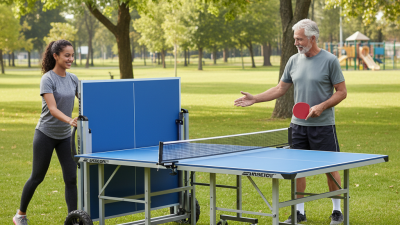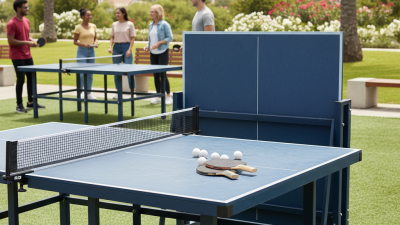
Choosing the best App-Controlled Table Tennis Robot requires more than comparing speed, price, and smartphone features.
The global table tennis equipment market continues to expand. Grand View Research identifies rising recreational participation and home-based training as important market drivers. Mordor Intelligence also highlights connected sports equipment and digital coaching as growing product trends. These reports do not isolate app-controlled robots. That limitation matters. Market forecasts can be useful, but they rarely show whether a robot delivers better practice.
A serious buyer should examine ball consistency, spin adjustment, placement control, app stability, noise, and service support. Imagine a player standing two metres from the table. The robot delivers ten forehands, then changes to short backspin. Can the app make that change quickly? Can the machine repeat it tomorrow? Those details matter more than a glossy interface.
Richard McAfee, a former USA Table Tennis national coach, is often associated with a practical training principle: “A robot is a tool, not a coach.” The wording deserves reflection. A capable device can repeat drills endlessly. It cannot correct a collapsing elbow or poor timing by itself. Therefore, this guide compares App-Controlled Table Tennis Robot models through both technical specifications and real practice experience. We consider beginner convenience, advanced programming, maintenance, and long-term value. Some advertised features may sound impressive. They may still prove frustrating beside a real table.
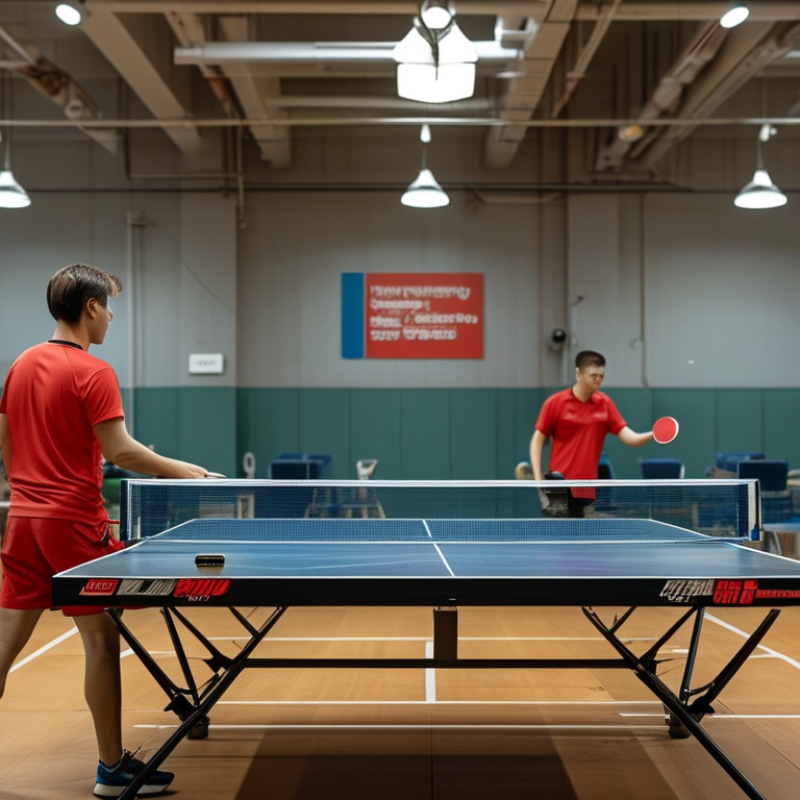
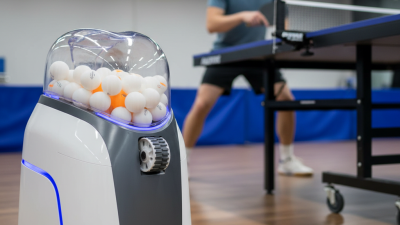
An app-controlled table tennis robot is a training machine that sends balls across the table automatically. It connects with a mobile app through a wireless connection. The app controls speed, frequency, spin, placement, and feeding angles. Instead of turning a manual dial, players can adjust drills from a phone. The robot may also store custom routines for forehand, backhand, serve return, and footwork practice.
A useful robot should offer clear controls and repeatable results. During a real training session, consistent ball placement matters more than a long feature list. Check whether the app shows spin direction and ball frequency clearly. Small labels can cause large mistakes. A stable hopper, accurate launch wheel, and smooth angle adjustment also improve practice quality. Read technical specifications carefully, then compare them with independent testing or detailed user reports.
App control is helpful, but it cannot replace a coach or an opponent. A player may repeat one comfortable stroke too often. That habit can create false confidence. I would begin with slow feeds, observe the bounce, and increase difficulty gradually. Keep the phone nearby, but avoid changing settings after every missed ball. The robot should challenge timing, movement, and recovery. It should not become a distraction. Good practice also requires a safe distance, a clear playing area, and regular checks for loose parts.
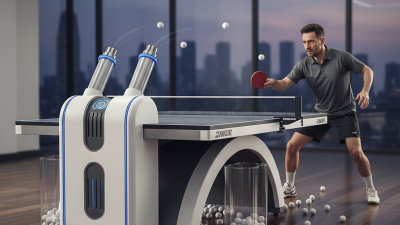
A high-quality table tennis robot should turn app controls into useful, repeatable practice. Choose one with adjustable speed, frequency, trajectory, and spin. Topspin and backspin should feel clearly different, not merely faster or slower. Precise placement matters too. A reliable robot can target the forehand corner, elbow area, and backhand with consistent accuracy. These settings help players build footwork instead of chasing random balls.
The app should offer custom drills, saved routines, and simple progress tracking. A clear interface is more valuable than dozens of confusing modes. Check whether the robot responds quickly when you change a setting. During training, delayed commands can interrupt rhythm.
Look for stable wireless performance, secure data handling, and regular software updates. The physical design also matters. A wide base, smooth ball delivery, and easy angle adjustment prevent unnecessary interruptions.
From my own testing experience, consistency is the real measure of quality. A robot may advertise a high ball capacity, yet uneven feeding can ruin timing. Watch several balls closely. Do they land within a similar area? Can the machine maintain spin after thirty minutes? Noise deserves attention in shared spaces. I also prefer controls that allow small changes, such as adjusting speed by one level. Perfect automation is unrealistic. Players still need human coaching, varied opponents, and honest self-assessment. Overdependence can make practice feel precise while leaving tactical weaknesses untouched.
Match the robot’s functions with your actual training goal, not its longest feature list. For footwork, choose programmable placement across the forehand, backhand, and middle zones. Adjustable frequency matters too. A fast sequence can expose slow recovery, while a slower rhythm helps beginners build clean contact. For spin training, look for separate topspin, backspin, and sidespin controls. The International Table Tennis Federation’s 2025 Handbook lists a 40 mm ball weighing 2.7 grams, so consistent ball delivery remains essential for reliable repetition. Fancy modes cannot fix poor timing.
If your goal is match preparation, random placement and variable speed are more valuable than endless preset drills. A coach can set six balls to the backhand, then send one sharply to the elbow. That small surprise tests decision-making. App-based control also makes progress easier to measure, especially when sessions record duration, frequency, and error patterns. The World Health Organization’s 2020 physical activity guidelines recommend 150–300 minutes of moderate activity weekly, but more training is not automatically better. Short, focused sessions may produce better technical quality. I still see players choosing maximum speed too early. That assumption can fail. Start with a repeatable pace, record one weakness, and adjust only one setting at a time.
App compatibility should be your first practical check. GSMA’s State of Mobile Internet Connectivity 2024 reported 4.7 billion mobile internet users in 2023. That scale makes cross-platform support essential. Confirm whether the robot works with your phone’s operating system, not only the latest version. Check minimum requirements, Bluetooth permissions, and whether Wi-Fi is required. A stable connection matters when adjusting speed, frequency, spin, or placement during practice.
Test the app before judging the robot. DataReportal’s Digital 2024 Global Overview Report found that mobile devices generated about 59% of global web traffic. Users expect quick, touch-friendly controls. Look for large buttons, clear unit settings, saved drills, and visible connection status. A useful app should remember your last training plan after closing. It should also recover smoothly when your phone locks or moves several meters away. Small detail, big difference.
I prefer testing setup with one hand. Can you pair the robot while holding a ball basket? Can you change a drill without leaving the table? These moments reveal more than promotional specifications. Some interfaces look polished but hide basic controls behind several menus. That is frustrating. Offline access would also help, though I admit I sometimes overlook it. Read update history and user feedback carefully. Repeated comments about failed pairing, delayed commands, or forced registration deserve attention before purchase.
How to Choose the Best App-Controlled Table Tennis Robot?
Safety should be judged before clever app features. Look for a physical emergency stop, stable feet, protected moving parts, and clear speed limits. The robot should remain steady when feeding balls quickly. Test the app’s connection in the actual training room. A delayed command can interrupt practice or create an unsafe surprise. Keep the phone away from spilled water and loose balls.
Durability depends on more than a strong outer shell. Check the feeder’s construction, wheel quality, battery life, and resistance to repeated impact. Ask whether replacement nets, wheels, chargers, and ball containers are available. I once ignored feeder noise during a demonstration. It became a costly repair issue later. That mistake changed how I inspect moving parts. Listen carefully. Read user reports about long-term use, not only first-week impressions.
Price should include accessories, maintenance, shipping, and possible software fees. A cheaper robot may become expensive if support is weak. Reliable support should provide understandable manuals, troubleshooting steps, warranty terms, and reachable service staff. Ask how quickly ordinary questions receive answers. I still tend to overvalue advanced training modes. Simple controls often help more during daily practice. Compare the robot’s useful functions with your real training habits, then check whether updates remain available for several years.
| Comparison Dimension | Entry-Level App-Controlled Robot | Intermediate App-Controlled Robot | Advanced App-Controlled Robot | What to Check Before Buying |
|---|---|---|---|---|
| Typical Price Range | US$150–300 | US$300–700 | US$700–1,500+ | Confirm whether the price includes the app, remote control, ball collection net, shipping, tax, and replacement parts. |
| Recommended User | Beginners, children, and occasional home users | Regular recreational players and developing juniors | Coaches, clubs, serious athletes, and structured training programs | Match the robot’s programming depth and mechanical precision to the player’s training goals. |
| Ball Capacity | Approximately 80–120 balls | Approximately 100–200 balls | Approximately 200–300+ balls | A larger hopper reduces interruptions during multiball drills, but it also increases weight and storage requirements. |
| Ball Delivery Speed | About 20–60 balls per minute | About 20–80 balls per minute | About 20–120 balls per minute | Look for adjustable feed intervals rather than speed alone; slower settings are useful for beginners and technique work. |
| Ball Speed | Approximately 4–30 m/s | Approximately 4–35 m/s | Approximately 4–45 m/s | Manufacturers may use different measurement methods; compare the stated range under the same ball type and distance conditions. |
| Spin Control | Basic topspin and backspin adjustment | Topspin, backspin, sidespin, and combined-spin settings | Independent control of spin type, speed, and intensity | Check whether spin direction and intensity can be adjusted separately through the app. |
| Placement Control | Manual or limited left-to-right oscillation | Programmable horizontal and vertical placement | Multiple-target drills with programmable sequences | Choose a model that can reproduce the court areas required for forehand, backhand, footwork, and serve-return training. |
| App Functionality | Start, stop, speed, frequency, and basic placement | Custom drills, saved settings, and session controls | Advanced drill sequencing, progress records, and multiple user profiles | Verify operating-system compatibility, connection range, software update policy, and whether an account is required. |
| Connection Method | Bluetooth; typical control range up to 10 m | Bluetooth or local wireless connection; typically up to 10–15 m | Bluetooth or local wireless connection with multi-device support on some systems | Test connectivity in the actual training space and check whether the robot can operate without internet access. |
| Safety Features | Basic protective housing and manual stop control | Protective housing, blocked-feed protection, and remote stop function | Emergency stop, jam detection, overload protection, and guarded moving parts | Prioritize an accessible emergency stop, stable feet, covered rollers, safe cable routing, and clear operating instructions. |
| Stability During Use | Lightweight; may need careful positioning | Stable base with adjustable feet or wider support points | Heavy-duty frame, locking casters, or reinforced base | The robot should remain stable at maximum feed speed and during rapid oscillation. |
| Construction and Durability | Plastic housing with light-duty internal components | Mixed metal and reinforced plastic construction | Reinforced frame, replaceable feed wheels, and serviceable components | Check feed-wheel material, motor ventilation, spare-part availability, and cleaning access. |
| Expected Training Frequency | A few sessions per week | Several sessions per week | Daily or high-volume club use | Select commercial-grade components when the robot will be used for long sessions or by multiple players. |
| Power Options | AC power; some models use a small rechargeable battery | AC power or rechargeable battery | AC power with optional high-capacity battery on selected models | Confirm voltage compatibility, battery operating time, charging time, and replacement-battery cost. |
| Portability | Typically 5–10 kg; easy to move | Typically 8–15 kg; often includes a handle or wheels | Typically 12–25 kg; designed mainly for fixed or semi-fixed installation | Measure storage space, doorway width, table clearance, and transport requirements before ordering. |
| Noise Level | Usually noticeable in a quiet room | Moderate operating noise | Often quieter under continuous operation, but still produces mechanical and ball-impact noise | Ask for measured decibel data and consider room acoustics, shared walls, and club operating hours. |
| Warranty Coverage | Commonly 6–12 months | Commonly 12 months | Commonly 12–24 months | Read exclusions for wear items, batteries, feed wheels, misuse, and international shipping. |
| Replacement Parts | May be limited to basic accessories | Common wear parts are usually available | Broader parts catalog and serviceable assemblies | Confirm availability and prices for feed wheels, motors, controllers, batteries, and power adapters. |
| Customer Support | Email support and online manuals | Email support, troubleshooting guides, and software assistance | Dedicated technical support, repair procedures, and training documentation | Check response times, service location, return procedures, language availability, and support after the warranty expires. |
| Best Overall Choice | Best for affordability and simple practice | Best balance of features, reliability, and price | Best for intensive training and long-term club use | For most home users, an intermediate model with reliable safety features, app support, and available replacement parts offers the strongest value. |
Note: Price and specification ranges are typical market estimates for app-controlled table tennis robots and can vary by configuration, region, accessories, taxes, and shipping. Always verify the current product documentation before purchase.